
What Is Espanso#
Espanso is an open source alternative to Textexpander. It gives you easy access to reusable text snippets.
For example, I write a lot of Markdown and I can for the life of me never remember the correct syntax for links [text](https://example.com). I just can’t remember which bracket comes first the [] or the (). So I added a Markdown match file for the most common Markdown syntax. So to add a link I just type :m-link and it is replaced with [](https://example.com) and places to cursor between the [ ]
Or for example, a Markdown code block that uses characters that are hard to find on my Danish keyboard is as easy a typing :m-block and it will be replaced with ``` ```
Why I Use Espanso#
I used to use Espanso when I was running Windows. However, when I moved completely to Linux some years back I had to find other solutions because Espanso did not support Wayland. Boy, have I missed it. For me this was one of the greatest sacrifices I had to make moving to Linux. I’ve had to make do with only using plugins and snippets, if available, in each application. Mainly Visual Studio Code and Obsidian. That only works for those apps and I have to manage the same snippets in multiple places. But, Espanso works across every program. So, no matter if I use the web browser, terminal, or a text editor the snippets are always there and are consistent across the system.
Espanso Now Works on Wayland#
Fortunately, as of this writing Espanso 2.4.0 came out not to long ago with support for Wayland. And I just had to give it a go. Espanso installed just fine and did run. However, it did not replace any text because some additional steps was necessary.
Install on Fedora KDE#
Espanso Wayland is not in the normal Fedora repo nor in Flathub. It is available via the Terra repository. So that has to be added.
sudo dnf install --nogpgcheck --repofrompath 'terra,https://repos.fyralabs.com/terra$releasever' terra-release terra-gpg-keysAfter installing the Terra repo Espanso Wayland can be install.
sudo dnf install espanso-waylandEspanso need kdotool to be install
sudo dnf install kdotoolLets make Espanso auto start (required only once).
espanso service registerLastly start Espanso
espanso startMore information on how to install and configure Espanso can be found in the Espanso documentation
Non-US Keyboard#
If you like me uses a non US keyboard. The keyboard language needs to be added to the config/default.yml for Espanso to work.
Default config locations are:
- Linux:
$XDG_CONFIG_HOME/espanso(e.g./home/$USER/.config/espanso) - macOS:
$HOME/Library/Application Support/espanso(e.g./Users/$USER/Library/Application Support/espanso) - Windows:
%AppData%\espanso(e.g.C:\Users\%username%\AppData\Roaming\espanso)
I use a Danish keyboard so my configuration looks like this.
keyboard_layout:
  layout: "dk"
Once added Espanso should start replacing keywords.
Hugo and Blowfish Shortcodes#
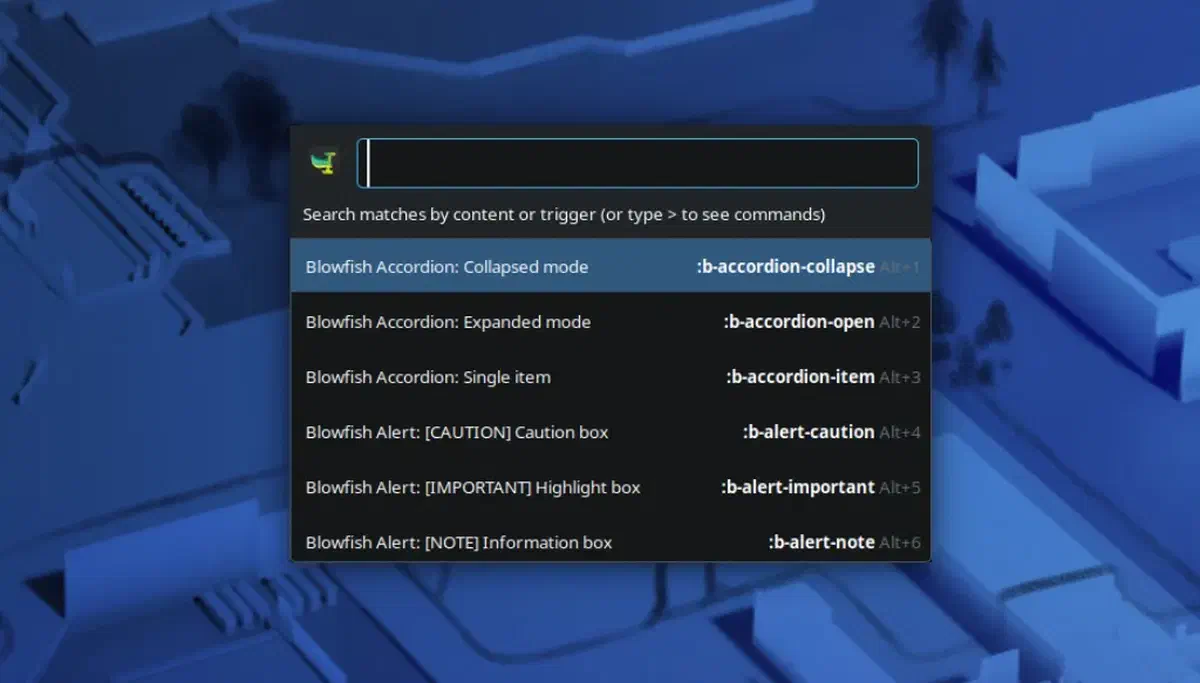
What I use Espanso most for is when writing articles. I use the static site generator Hugo with the Blowfish theme. Blowfish has a lot of shortcodes that I use quite a bit. But, I have to constantly look up the syntax. Espanso make this process so, so easy.
You can find my Espanso match files for Hugo and Blowfish in the repository linked below.